
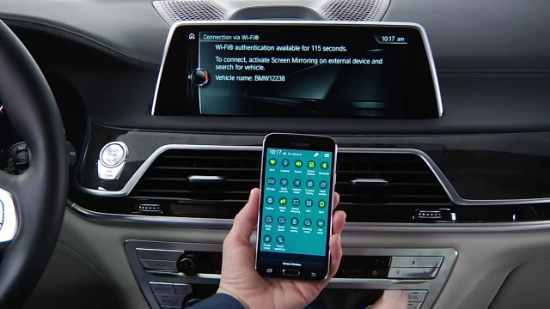


RACODINGS BMW Android Screen Mirroring Lifetime Activation (Includes Video-in-Motion)
Activate Android Screen Mirroring on your BMW for lifetime use, including Video-in-Motion, allowing screen mirroring while driving.
How to Check Your Firmware Version:
-
Go to Navigation
-
Press the Options button
-
Go to Settings → Position & Version History
-
Look for NBTEVO_XXXXX
Activation Methods:
1. USB Coding
-
Applies to software versions: NBTevo_H, NBTevo_I, NBTevo_J, NBTevo_K, NBTevo_M, NBTevo_N, NBTevo_O
-
Procedure:
-
Receive the USB coding file from RACODINGS
-
Copy the file to a FAT32-formatted USB drive
-
Plug the USB into your car
-
Wait approximately 1 minute — Android Screen Mirroring is installed and activated
-
2. ENET Coding
-
Applies to software versions: NBTevo_P, NBTevo_Q, NBTevo_R, NBTevo_S, NBTevo_U, NBTevo_V, NBTevo_W, NBTevo_X
-
Procedure:
-
Use the RACODINGS ENET activation process
-
Connect your car and computer with an ENET cable
-
Follow the provided instructions to activate Android Screen Mirroring
-
This process is fully OEM-compatible, safe, and works in all regions and countries.
Reviews
There are no reviews yet.